Short answer: choose the finish before the color. How a wrap ages, hides dirt, and survives your washing habits is decided almost entirely by whether it's gloss, satin, matte, or a specialty film — and that's where most regret comes from, not the hue itself.
Here's a framework that takes about ten minutes and prevents a four-figure mistake.
Step 1: Pick the finish first
Finish determines maintenance, cost, and how forgiving the wrap is. Color is the fun part, but this is the consequential one.
Gloss: the easiest finish to live with
Gloss is the easiest to live with. It cleans like paint, hides minor installation imperfections, costs the least, and tolerates normal washing. If you want low-drama ownership, start here.
Satin: the sweet spot for most owners
Satin is the sweet spot for a lot of owners — a soft sheen that reads expensive without matte's fussiness. Slightly more care than gloss, considerably more distinctive.
Matte: the most striking, the least forgiving
Matte looks incredible and is the least forgiving. It shows fingerprints and oils, can't be polished to fix a blemish, and needs matte-safe products. No automatic brush washes, ever.
Chrome, color-shift, and textured films: maximum impact, maximum cost
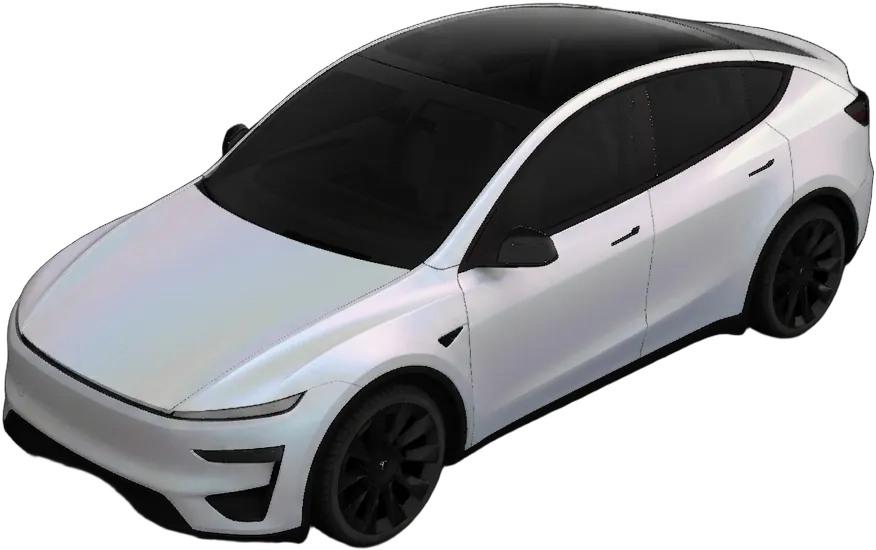
Chrome, color-shift, and textured films are the showstoppers and the most expensive — both in film cost and in labor, because they're unforgiving on complex curves. They also draw the most attention, which is either the point or a problem.
A useful filter: if you wash your car at a drive-through, choose gloss or satin. Matte and specialty films assume hand washing.
Step 2: Be honest about dirt
Every color hides dirt differently, and this affects daily satisfaction more than people expect.
| Color family | Hides dirt | Notes |
|---|---|---|
| Mid-tone grey, gunmetal | Best | Nardo-style greys are popular for a reason |
| Matte military green, tan | Very good | Dust reads as part of the finish |
| Black (gloss) | Poor | Stunning clean, shows everything otherwise |
| Black (matte) | Mixed | Hides dust, shows fingerprints and oils |
| White / pearl | Mixed | Hides dust, shows road film and water spots |
| Chrome / color-shift | Poor | Every water spot is visible |
If your car lives outside and gets washed monthly, this table should carry real weight in your decision.
Step 3: Look at it in the right light
Colors change dramatically between showroom light, overcast daylight, and direct sun. Color-shift films are the extreme case — that's their whole purpose — but even a satin grey can read blue, green, or brown depending on conditions.
Two practical habits:
- Look at any reference photos in outdoor daylight, not just studio shots.
- Consider where you actually park. A finish that's subtle in a shaded garage can be loud in desert sun.
Step 4: Match the finish to the car's shape
Body geometry changes how a finish reads, which is why the same film looks different across models.
Smooth, rounded bodies (Model 3, Model S)
Satin and matte finishes flow across them cleanly, and gradients have room to travel. Racing liveries and carbon accents suit the performance stance.
Broad, tall panels (Model Y, Model X)
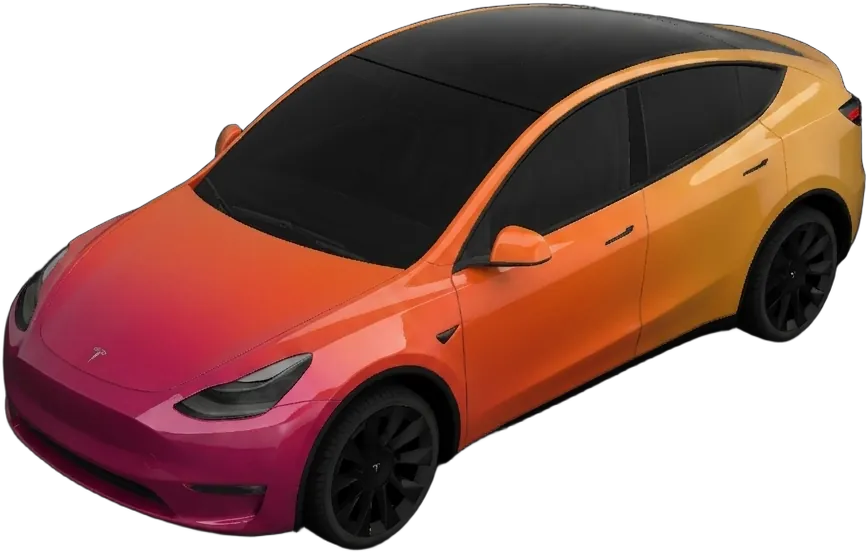
Pearl and satin finishes flatter them, and color-shift films have enough surface area to actually show the shift.
Flat planes and hard angles (Cybertruck)
The Cybertruck is flat planes and hard angles — closer to a canvas than a car body. Bold graphic finishes (tactical matte, camo, mirror chrome) read dramatically here in a way they wouldn't on a curved body.
Step 5: Consider resale before you go extreme
You don't have to choose a boring color. But it's worth knowing that neutral finishes — greys, satin blacks, whites — appeal to the widest set of future buyers, while a bright custom livery narrows the pool.
Since a wrap is reversible, this matters less than it would with paint. Just factor removal into your plan if you choose something polarizing.
Step 6: Render it on your actual car
This is the step that makes the previous five real.
A swatch tells you the color. It tells you nothing about how that color breaks across your Model Y's shoulder line, or whether a gradient lands where you imagined on a Cybertruck. Almost every "I wish I'd picked something else" story traces back to a decision made from a small sample.
Describe the finish in plain words — "satin nardo grey with gloss black mirrors" — and render it on your exact model before you book anything. It takes about 30 seconds and costs a few dollars against a $3,000–$5,000 commitment.
A shortlist that rarely disappoints
If you want somewhere to start:
- Satin gunmetal / nardo grey — distinctive, hides dirt, ages well, broad appeal.
- Satin pearl white — clean and expensive-looking without gloss white's water spots.
- Matte military green — genuinely different, hides dust, exceptional on trucks.
- Gloss black with satin accents — dramatic and easy to maintain.
Preview any of these on your model, or browse what other owners actually designed to see how finishes read on real vehicles. If you're still weighing whether to wrap at all, start with is wrapping a Tesla worth it.