Tesla wrap ideas you can preview instantly
Stuck between matte black and liquid chrome? Instead of imagining it, generate it. Describe any finish in plain words and WrapStudio AI renders it onto your exact Tesla model in about 30 seconds — so you can see the look before you ever talk to an installer.
- Free credit on sign-up
- No charge if it fails
- Credits never expire
- owners
- 1,200+ owners
- community wraps
- 940+ community wraps
- downloads
- 2,000+ downloads
How to find a wrap you actually love
The hardest part of wrapping a Tesla isn't the install — it's deciding. Wrap film comes in hundreds of colors and finishes, and a swatch on a website tells you almost nothing about how a shade reads across the curves of a Model 3 or the flat panels of a Cybertruck.
AI previewing collapses that guesswork. Type a description — "satin nardo grey with gloss black accents" — and see it rendered on your model. Tweak the words, regenerate, and compare finishes side by side until one clicks.
Tesla wrap ideas by style
Stealth and satin. One colour, no graphics, all in the finish. Try "satin black with gloss black mirrors and trim", "matte nardo grey, completely plain" or "satin pearl white with a faint blue shift".
Chrome and colour-shift. Finishes that change as the car turns. Try "liquid chrome in graphite black", "colour-shift purple to teal, gloss" or "brushed gold metallic with black lower panels".
Gradients and fades. Two colours that travel the length of the car. Try "glossy sunset gradient, magenta at the nose fading to amber at the tail" or "red camo fading to black from front to back". On cars with a full-width front light bar, start the fade behind the front wheel so the bar doesn't cut it in two.
Liveries and stripes. Race-car graphics over a plain base. Try "white base with a red and blue racing stripe down the centre and a number roundel on each door" or "forged carbon base with a red and white livery along the sides". Keep lettering away from panel edges, where the template splits it.
Camo and tactical. Try "matte desert camo in sand and tan", "arctic camo in white and pale grey" or "matte military green with carbon accents". Big flat panels carry camo best, so it suits the Cybertruck.
Neon, retro and pixel. Looks that are hard to justify in vinyl but cost nothing on a screen. Try "cyberpunk neon grid on a dark base", "synthwave sunset horizon" or "8-bit arcade cabinet side art". All three are real designs from the community gallery.
Seasonal. A screen wrap takes about a minute to change, so it can follow the calendar, and owners have already published Halloween designs. Try "matte black with orange jack-o'-lantern faces on the doors" or "candy-cane stripes with a snowflake pattern on the roof". The Halloween and Christmas posts linked below have more, with lock sounds to match.
Every quoted line above is written to be pasted into the studio as a starting point: pick your model, generate, then change the words until it looks right.
Screen wrap or vinyl: two ways to use an idea
A screen wrap changes how your Tesla draws itself on the touchscreen and in the app. It is a PNG file, it costs nothing to load, and you can swap it whenever you like. Every design in the community gallery is free to download in that format.
A vinyl wrap is the same idea printed on film and applied to the paint by an installer. It costs thousands and lasts for years, so it is worth living with a look on the screen first. If you still like it after a month, export the same design and take it to a shop.
Finishes to try
Tap any finish to open it in the studio — pre-loaded on your vehicle and ready to generate and download.
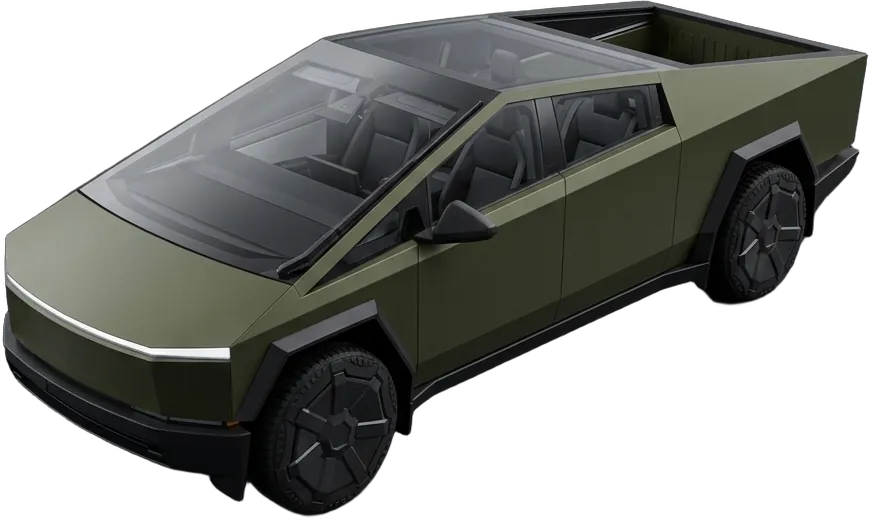
Tactical Matte
Military-green satin with carbon accents
“matte military green with carbon-fiber accents on the mirrors and lower panels”
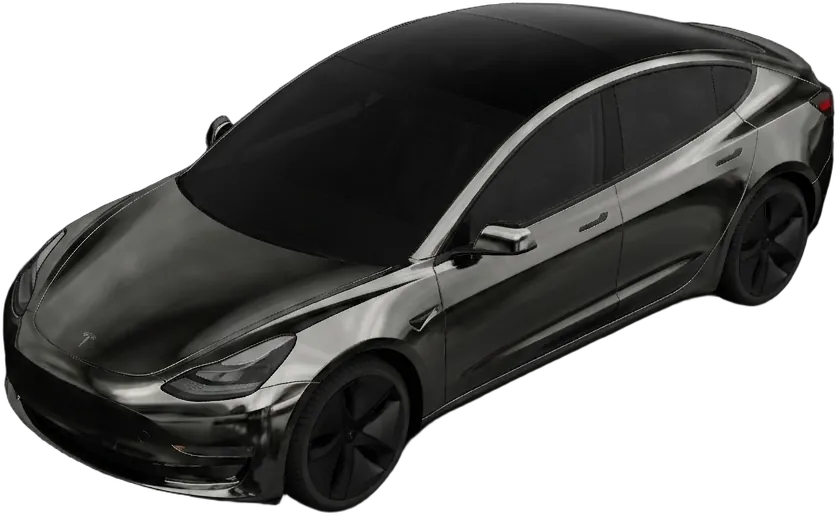
Design this wrapMidnight Chrome
Liquid graphite mirror finish
“liquid chrome in graphite black, mirror-smooth, subtle blue reflections”
Design this wrap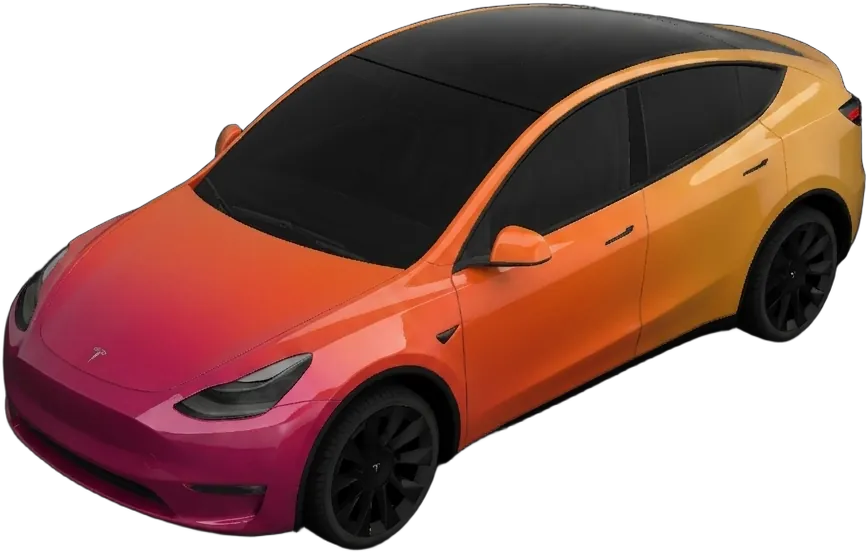
Sunset Fade
Gloss gradient from magenta to amber
“glossy sunset gradient fading magenta to amber, front to back”
Design this wrap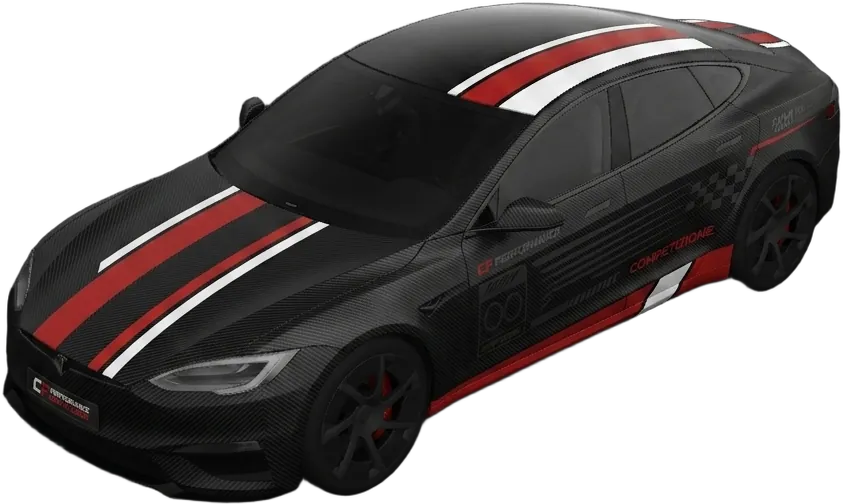
Carbon Racing
Textured carbon with a racing livery
“forged carbon-fiber base with a red-and-white racing livery down the sides”
Design this wrap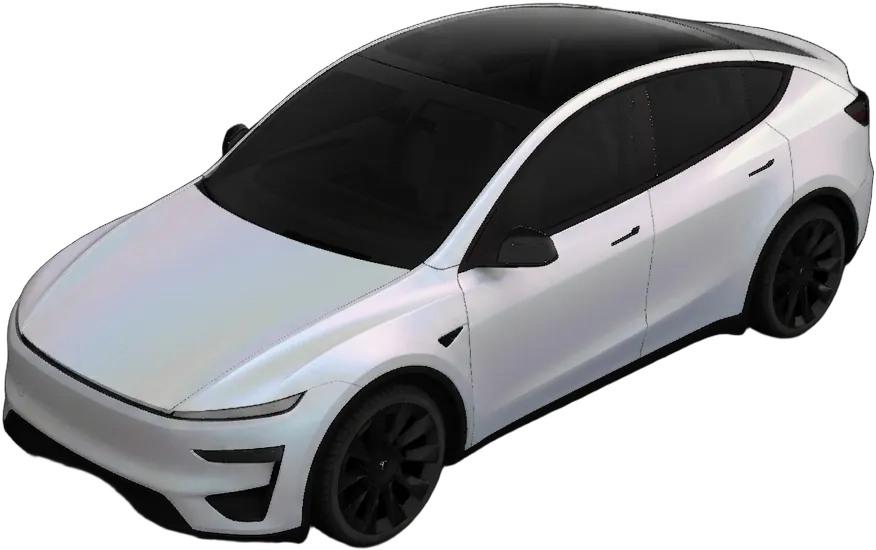
Arctic Satin
Pearl-white matte with a cool sheen
“satin pearl white with a faint icy blue shift in the light”
Design this wrap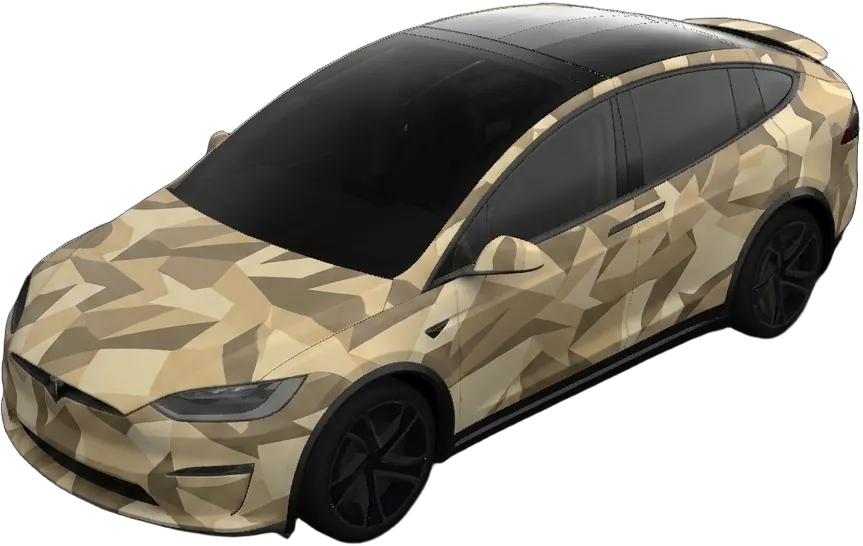
Desert Camo
Matte sand multi-cam pattern
“matte desert camo, sand and tan multi-cam pattern, low sheen”
Design this wrap/ From the community
Tesla wrap ideas from real owners
Designs picked from the community gallery, across Model 3, Model Y and Cybertruck. Each one is free to download and already sized for the car's screen. Tap any design to see it full-size.
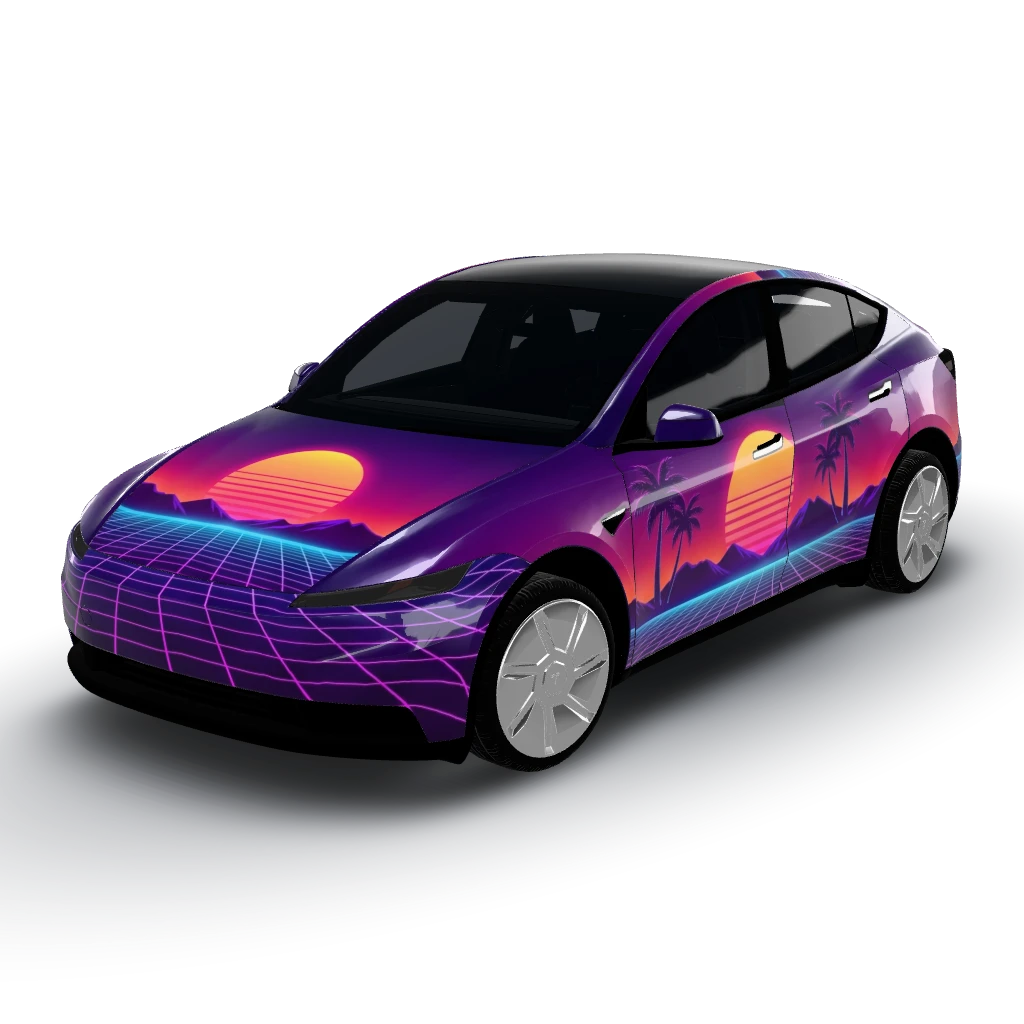
Synthwave sunset horizon
by gazarie
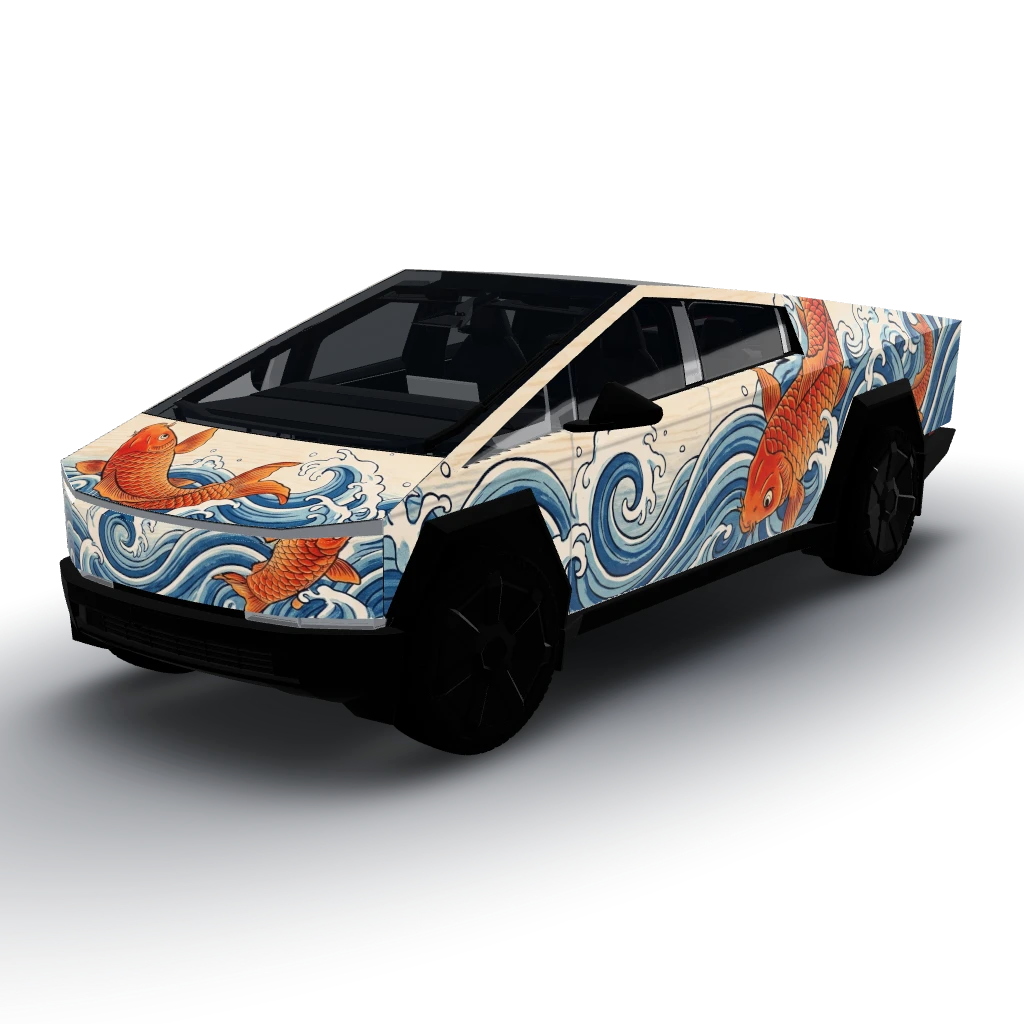
Koi fish and waves, ukiyo-e woodblock style
by Josh
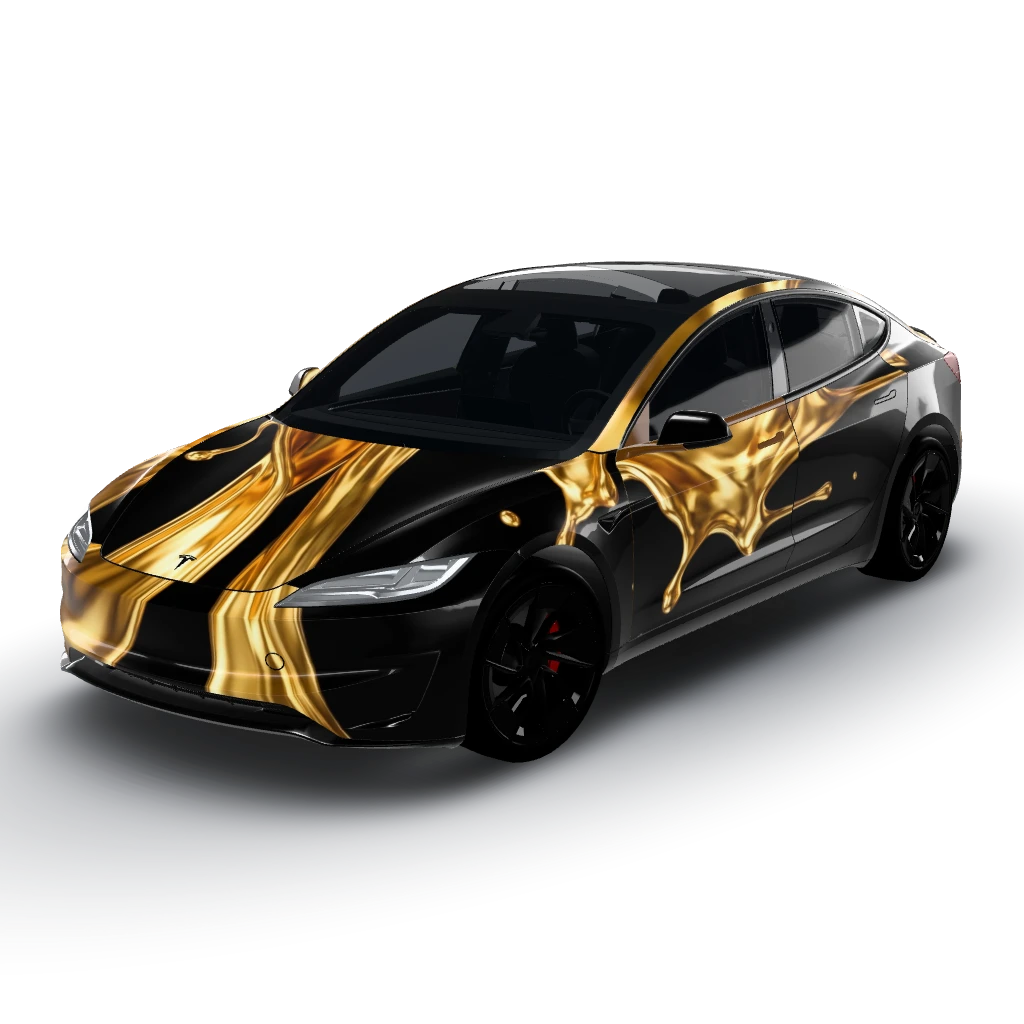
Liquid gold pour effect on a matte black
by Josh
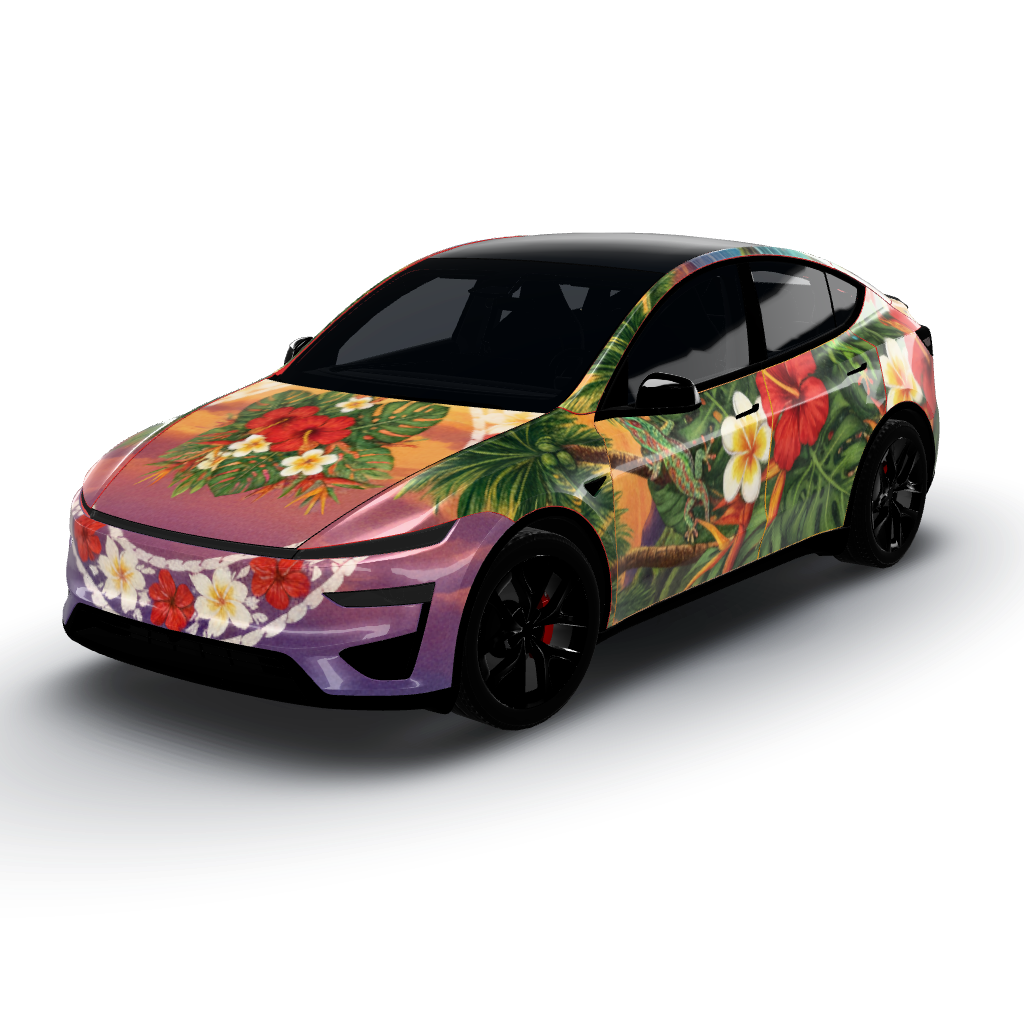
Beautiful Hawaiian theme with several
by user_0af665a9
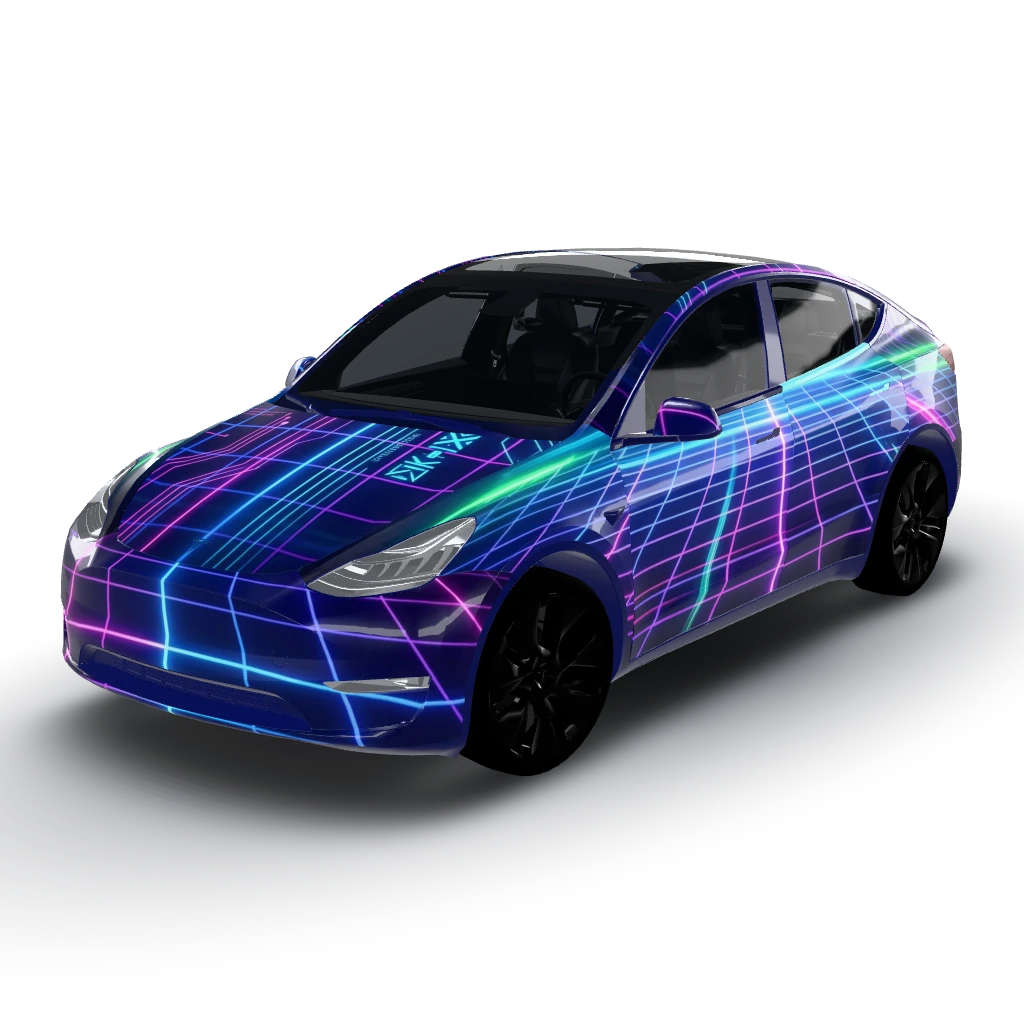
Cyberpunk neon grid on a dark base
by user_6d469cc9
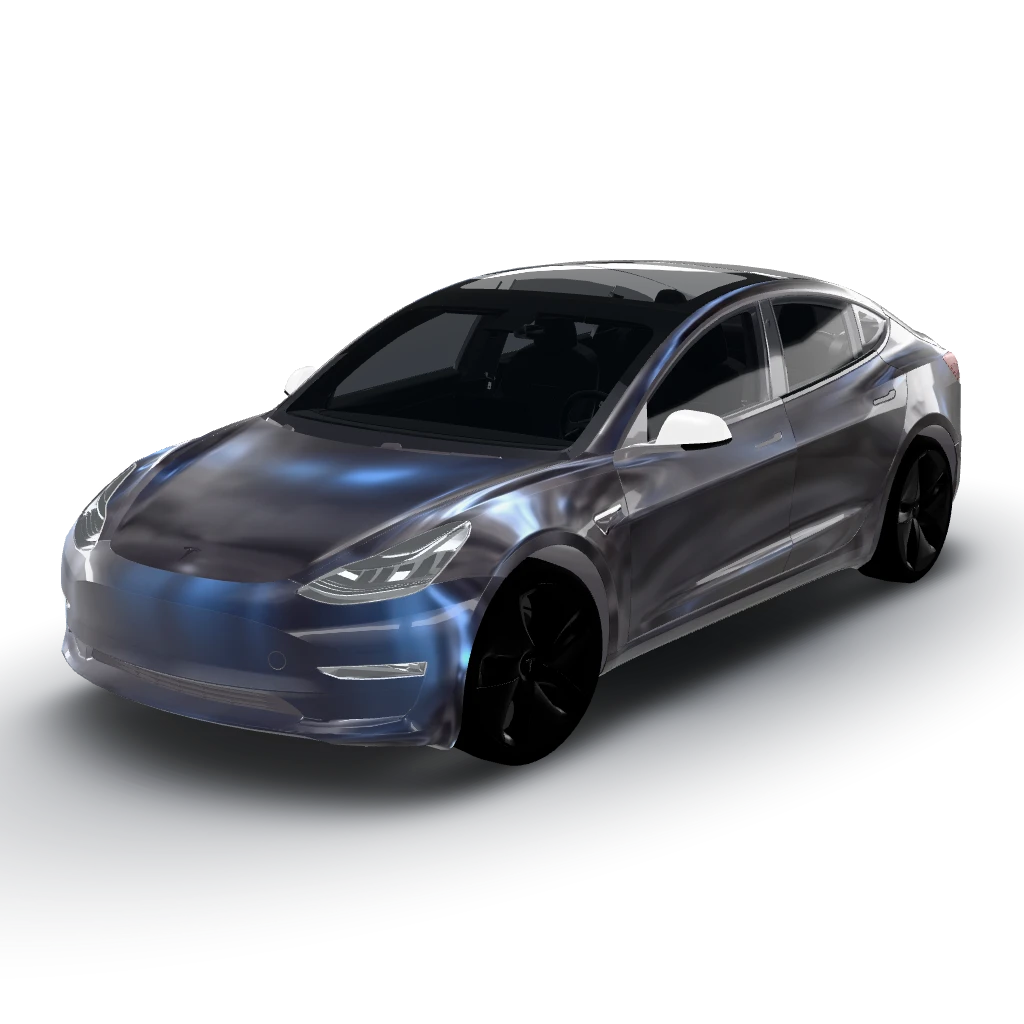
Liquid chrome in graphite black
by user_3e27b6c7
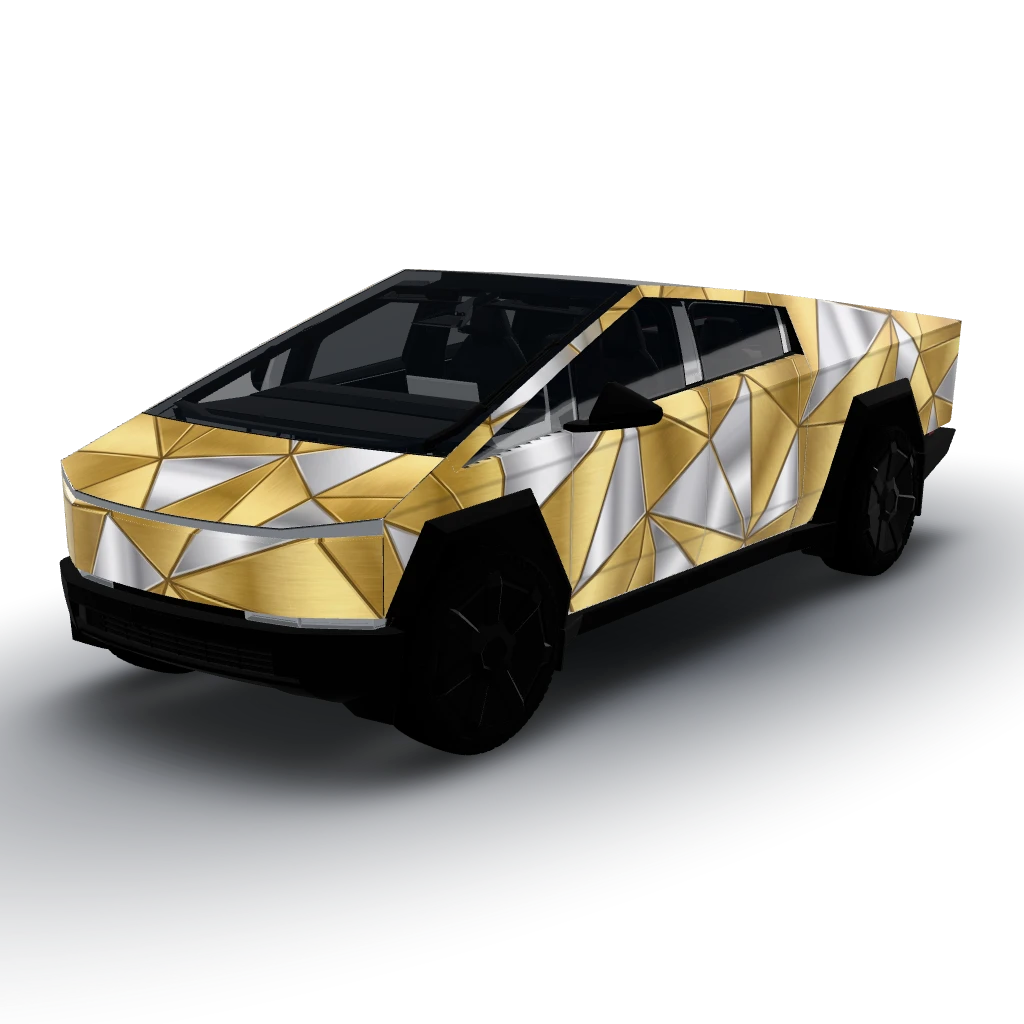
Gold and silver
by user_4832d192
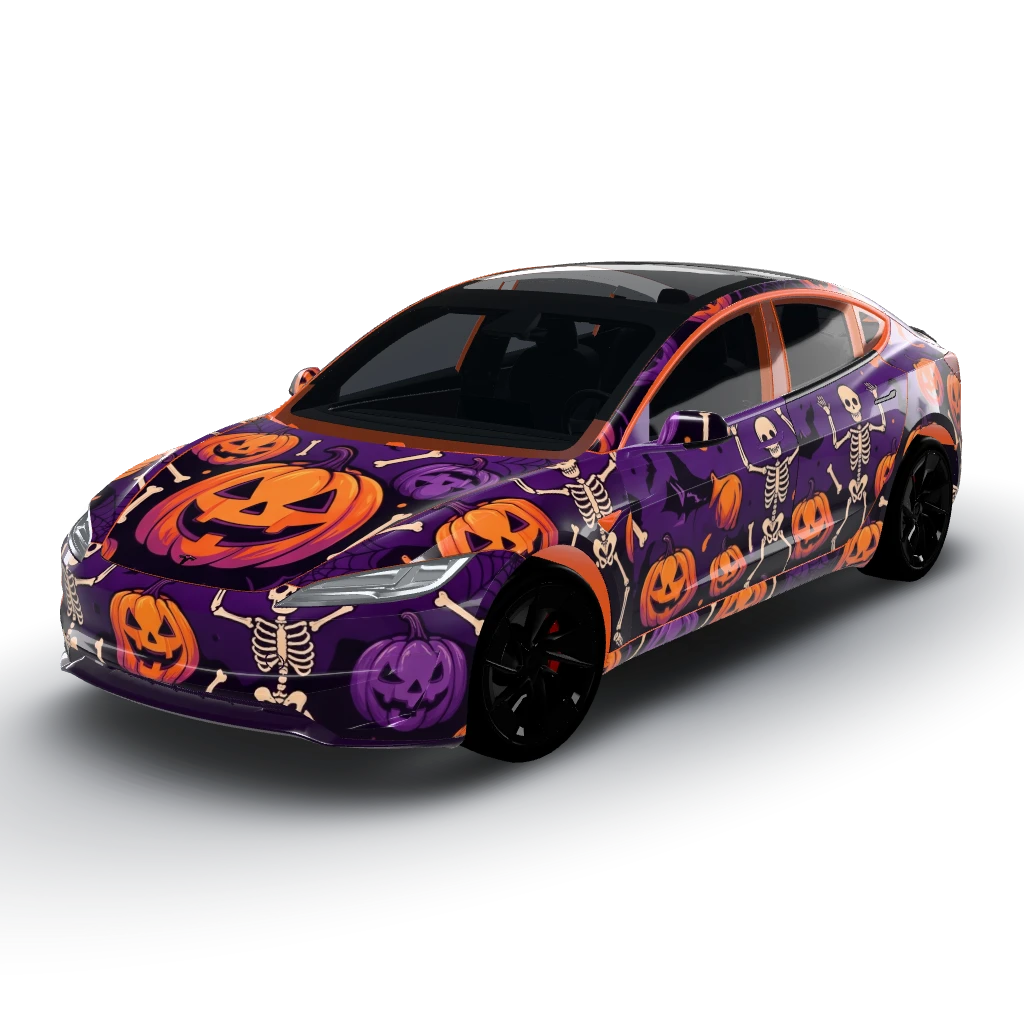
Halloween themed
by user_b902a3b1
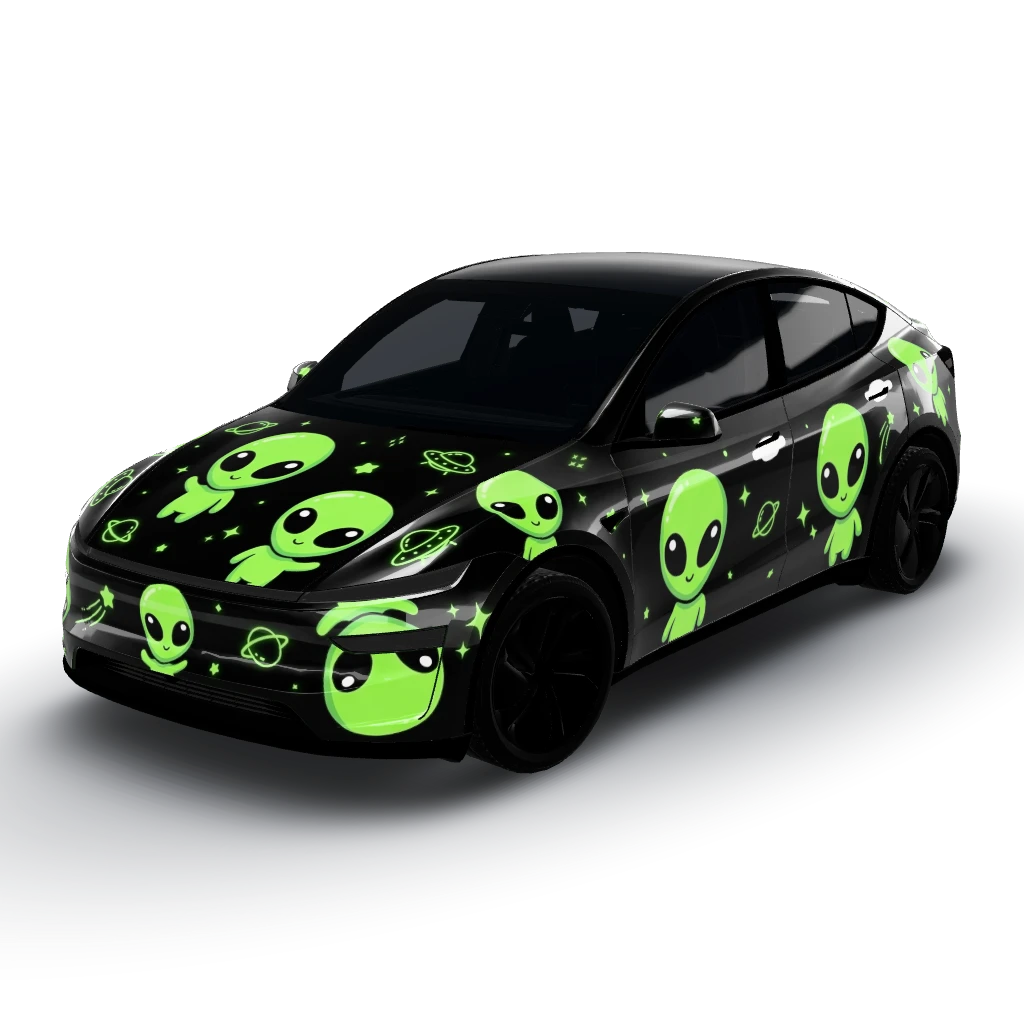
Glossy black Tesla wrap with a cute classic
by user_7e6c9add
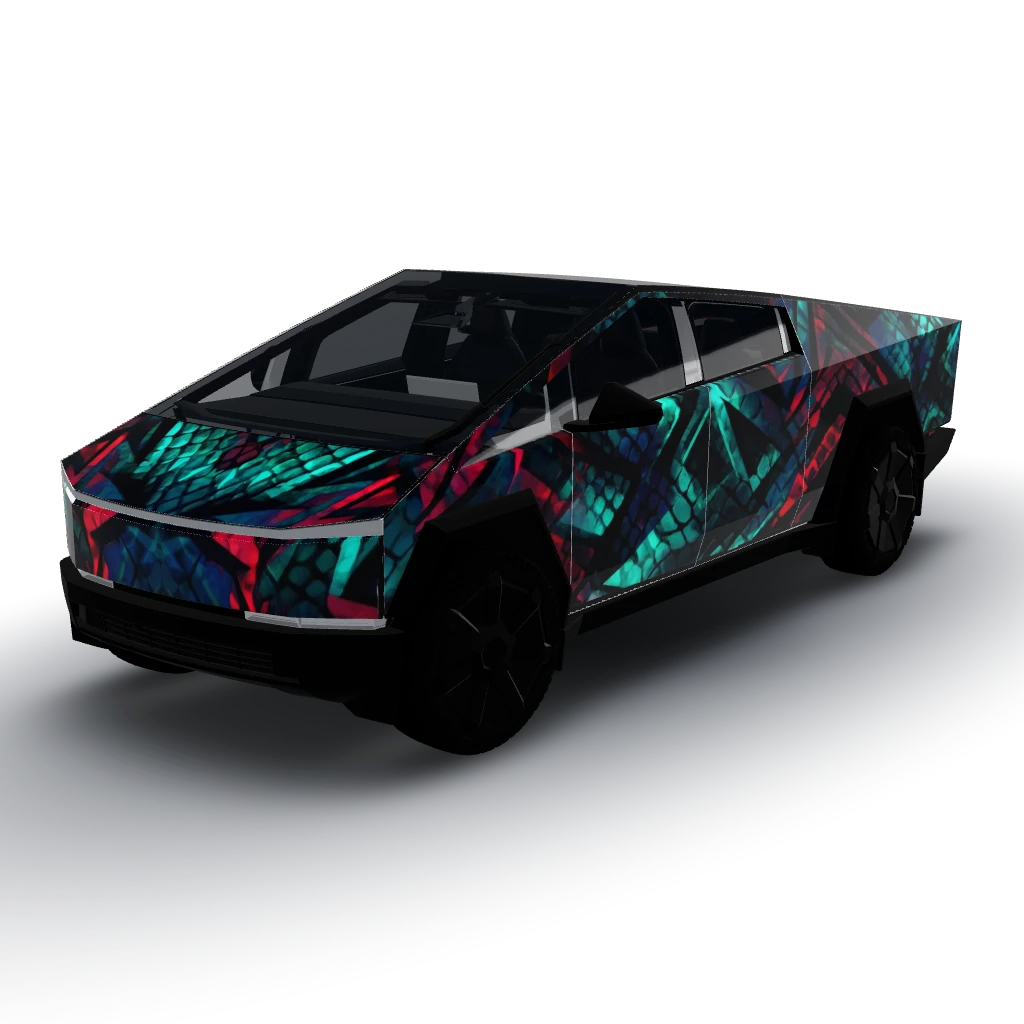
White eyes black dragon theme
by Josh
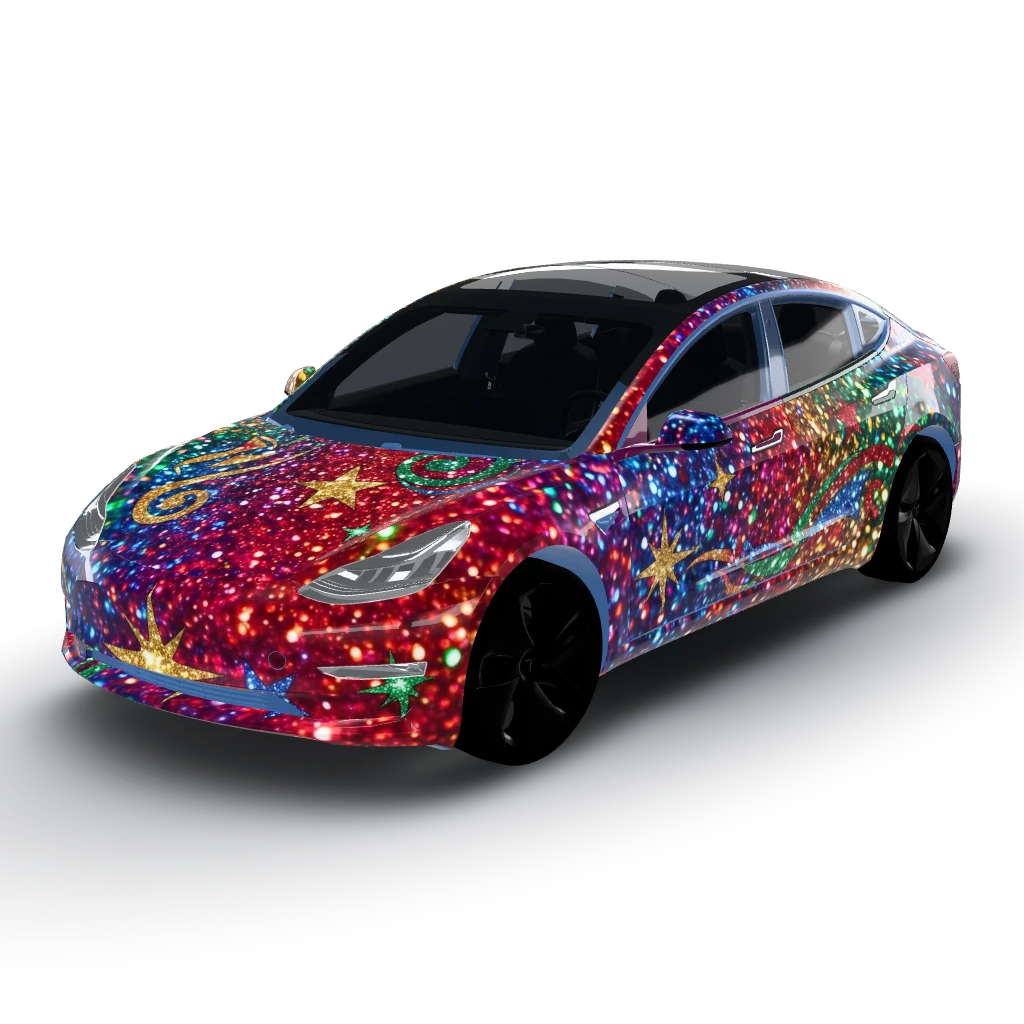
Colorful and shiny and glittery
by user_d60f78b1
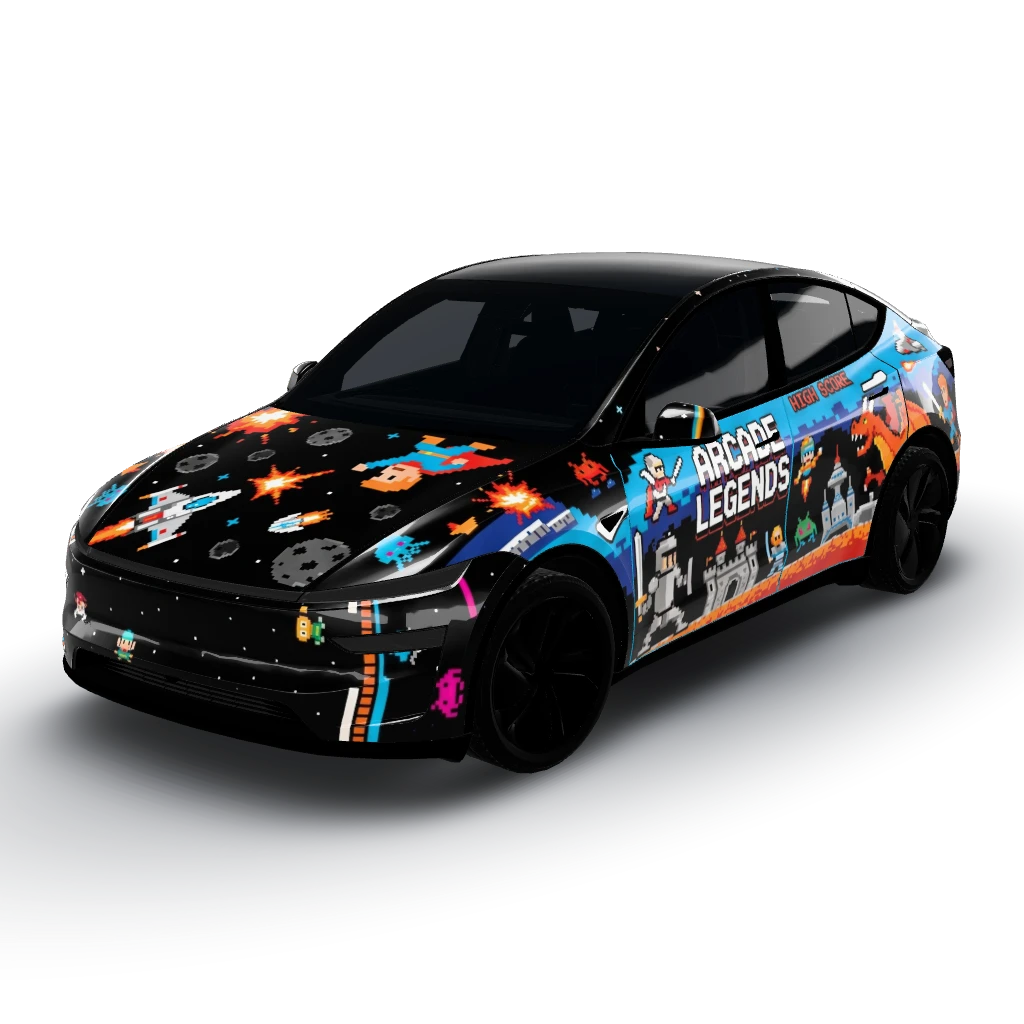
8-bit arcade cabinet side art
by Josh
/ Keep exploring
Tesla wrap ideas by model
A design is drawn on one model's template, so it's worth browsing the car you actually drive.
Model 3 wrap ideas
Finishes that suit the Model 3, what a wrap costs, and designs made on its template.
Model Y wrap ideas
Ideas for the original and the 2025+ Model Y, and which of the five templates fits yours.
Model S wrap ideas
Deep, formal finishes for the long sedan, with real owner designs.
Model X wrap ideas
Matte, pearl and bold finishes for the Model X, with cost ranges.
Cybertruck wrap ideas
Tactical, camo and chrome looks for flat stainless panels.
Model Y Juniper (2025+) wraps
The refreshed Model Y: three templates, and designing around the light bar.
Model Y L wraps
The six-seat Model Y, with a longer body and a template of its own.
Model Y Performance wraps
Ideas that work with the 2025+ Performance's black bumpers and spoiler.
Model 3 Highland (2024+) wraps
The refreshed Model 3's template, and what its smoother nose changes.
Model 3 Performance wraps
Liveries and two-tones for the 2024+ Performance's vents, diffuser and spoiler.
Tesla wrap gallery
Every public design, filterable by model and searchable by theme. All free to download.
Halloween wrap ideas
Seasonal designs owners have published, with prompts and matching lock sounds.
Christmas wrap ideas
Holiday prompts, sleigh-bell lock sounds and a light show to go with them.
Tesla wrap templates
All 12 official templates as free PNGs, if you would rather draw your own.
Put a wrap on your screen
Send a design from your phone to the car over the air, shown in a 35-second video.
What a vinyl wrap costs
Price ranges by model and finish, for when a screen wrap turns into the real thing.
/ No surprises
Why owners trust WrapStudio
Straightforward pricing, no subscription needed, and you never pay for a wrap that didn't come out.
- owners
- 1,200+ owners
- community wraps
- 940+ community wraps
- downloads
- 2,000+ downloads
No credit used if it fails
A credit is only spent once your wrap comes back. If the AI can't make it, the credit stays in your account.
A free AI edit on every wrap
Not quite right? Change a colour or a panel once without spending another credit.
Credits never expire
Use them tonight or next year. Your balance is yours until you spend it.
One-time payment
Pay once per pack. Nothing renews and there's nothing to cancel.
Secure checkout by Stripe
Payment happens on Stripe's encrypted checkout. Your card details never touch our servers.
Community wraps are free
Every design in the community gallery downloads free, sized for your vehicle.
Frequently asked
- Where can I see a gallery of Tesla wraps?
- The WrapStudio AI community gallery shows every design owners have chosen to publish, filterable by Model 3, Model Y, Model S, Model X and Cybertruck. Each one can be downloaded free as a PNG that loads onto the car's screen.
- How do I put one of these wrap ideas on my Tesla's screen?
- Download the design, or generate your own, then send it to the car. On vehicle software 2026.26 with Tesla app 4.59.0 or newer, upload it from your phone under Creations, then Wrap (a tab called Wraps on older cars). On older software, copy it into a folder named Wraps on a USB drive and pick it under Toybox, then Paint Shop.
- Can I use any image as a Tesla wrap?
- No. A wrap has to be drawn on your model's template, a flattened map of the body where each shape is one panel. A normal photo uploads but renders as nonsense. Designs made in the studio are already laid out on the right template, and every gallery design names the model it was made for.
- What are the most popular Tesla wrap colors?
- Matte black, satin white (arctic/pearl), gunmetal and nardo grey, and color-shift/chrome finishes are the most-requested. Matte military green and desert camo have also surged on trucks like the Cybertruck.
- Can I preview a wrap on my car before I pay an installer?
- Yes — that's exactly what WrapStudio AI is for. Describe any finish, generate it on a template of your exact model, and see a realistic preview in about 30 seconds. It's the cheapest way to test a look before committing to a $3,000–$5,000 wrap.
- How do I use the design after I make it?
- Export the generated design as a high-resolution image and take it to any professional wrap installer, who prints it on vinyl and applies it. The exported PNG is also compatible with the in-car customization display.
- Is WrapStudio AI free?
- Designing and previewing starts with a credit pack from $2.99, no subscription needed. One credit generates one wrap, and credits never expire.
/ Before you book
Worth reading first
The things owners wish they had known before handing over a deposit — finishes, film, care and what installers need.
How-to
Writing a wrap prompt that gives you what you pictured
Vague prompts give vague wraps. Four specifics turn a generic render into the design you actually wanted.
7 min readFinish guide
Matte vs gloss vs satin: how each finish actually lives
The three finishes look different on a swatch and live completely differently on a car. Here is what each one asks of you.
7 min readExplainer
How a wrap visualizer actually works
Every good preview starts with a flattened map of the car. Understand it and your designs stop landing in the wrong place.
7 min readSee it on your car in 30 seconds
Stop imagining — generate your exact finish and decide with confidence before you pay an installer.
- Free credit on sign-up
- No subscription needed
- Secure Stripe checkout