Model Y · Wrap template
Tesla Model Y wrap template: which of the five is yours
Tesla publishes five Model Y wrap templates: the original Model Y (before the 2025 refresh), three for the refreshed 2025+ car known as Juniper (Standard, Premium and Performance), and one for the six-seat Model Y L. Download the one for your exact car below, free and with no account, then save your design as a PNG of 1024×1024 pixels and 1 MB or less.
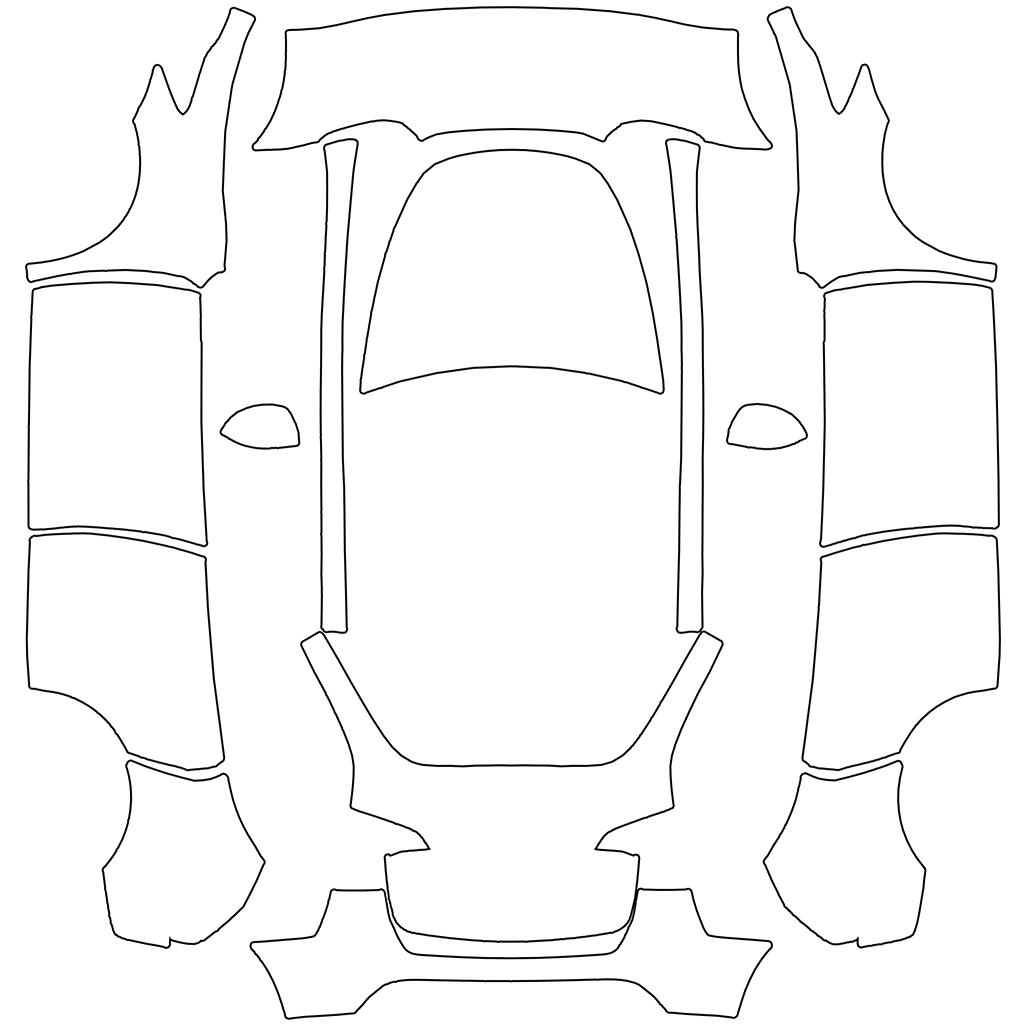
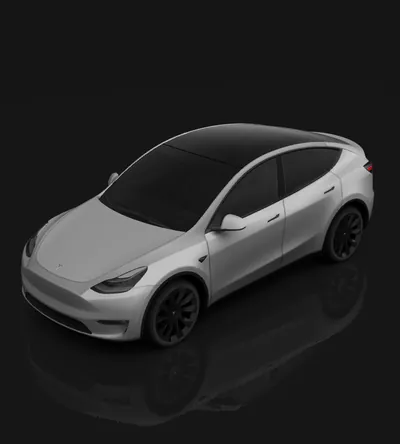
Model Y
The original Model Y, before the 2025 refresh
- How to tell
- The original, larger headlights, fog lights low in the front bumper corners, and no light bar.
- Worth knowing
- The refresh changed both bumpers, so its designs don't line up on a 2025+ car.
Same file as Tesla's modely folder · Wrap ideas for this car
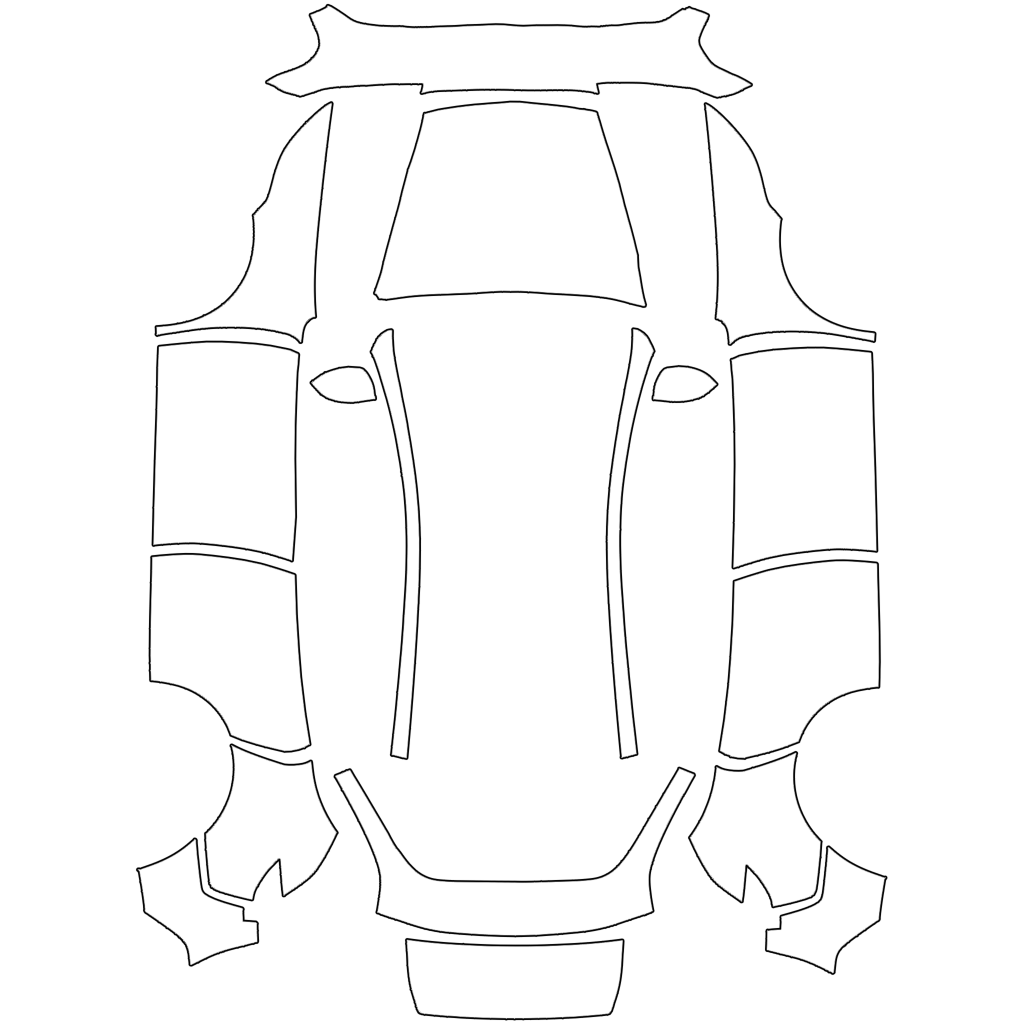
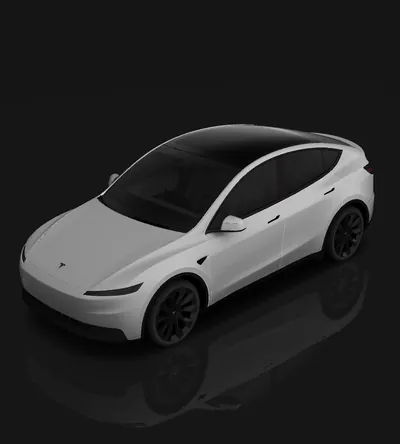
Model Y (2025+) Standard
Model Y Juniper (2025+), Standard
- How to tell
- The refreshed body with slim headlights, but no light bar running between them.
- Worth knowing
- The only refreshed Model Y without the light bar, so a design can run straight across the front.
Same file as Tesla's modely-2025-base folder · Wrap ideas for this car
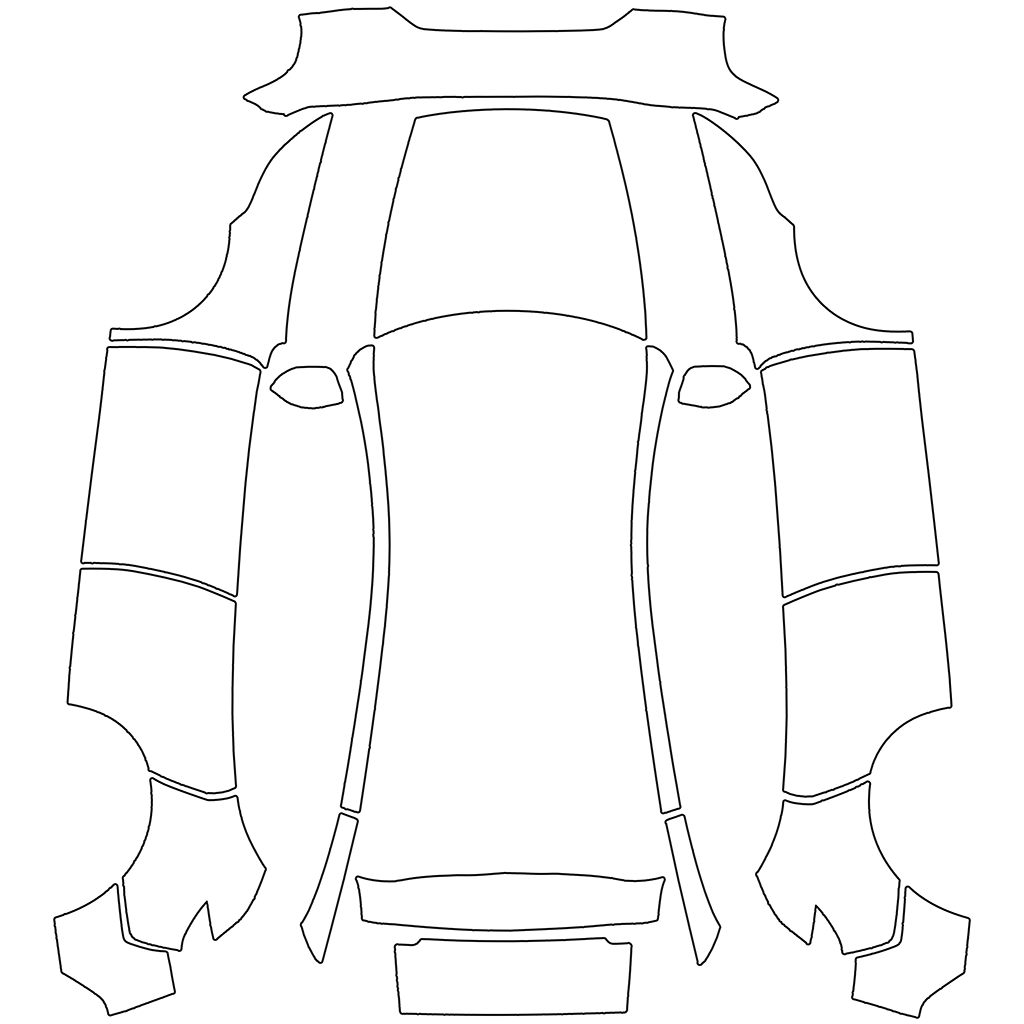
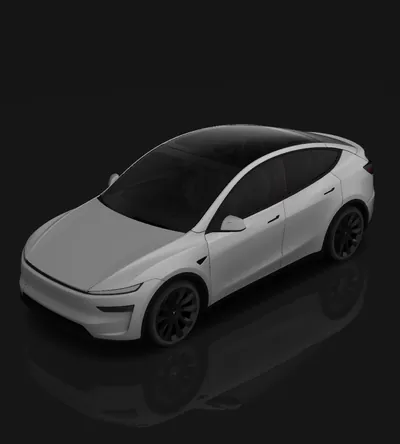
Model Y (2025+) Premium
Model Y Juniper (2025+), Premium
- How to tell
- The refreshed body with a light bar across the full width of the nose.
- Worth knowing
- Start gradients behind the front wheel so the light bar doesn't cut them in two.
Same file as Tesla's modely-2025-premium folder · Wrap ideas for this car
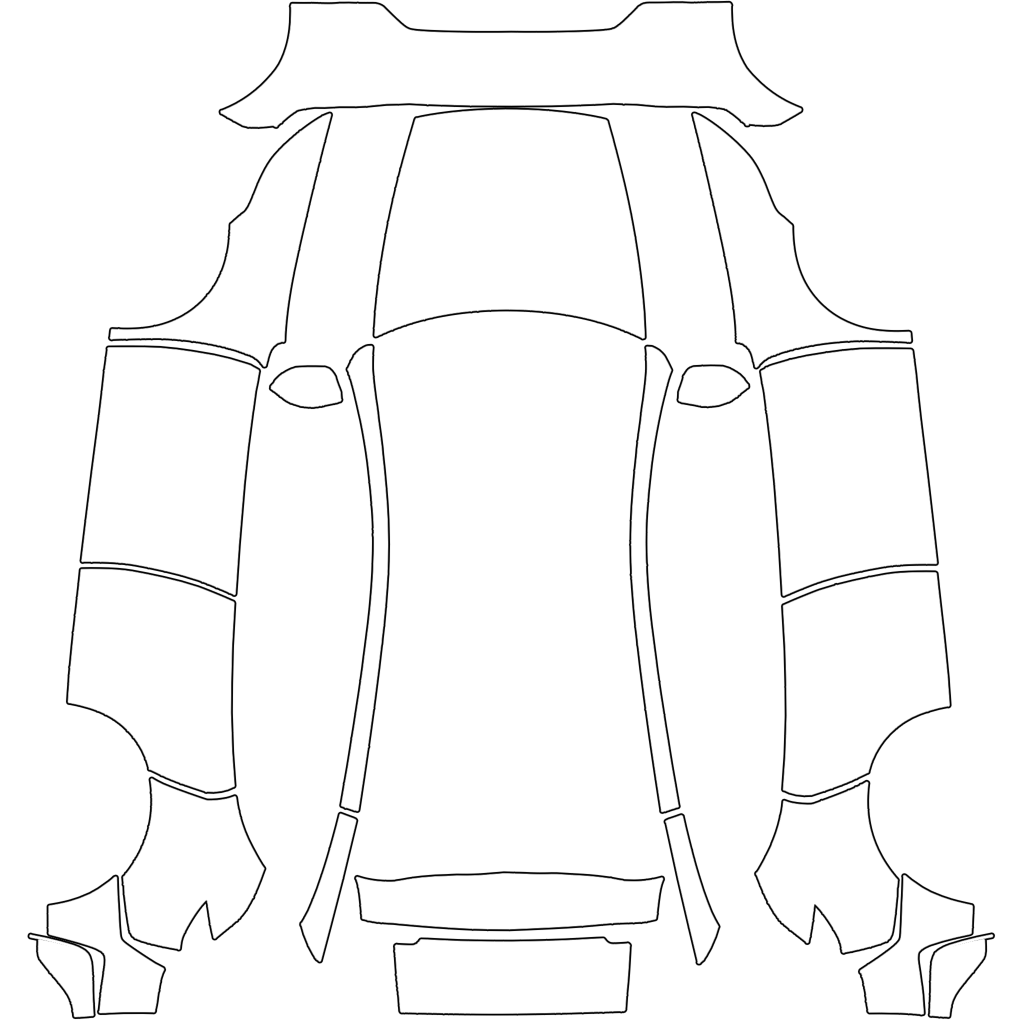
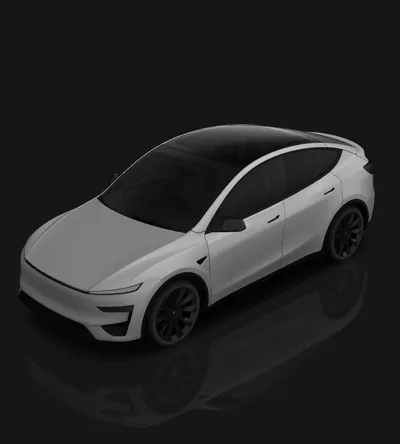
Model Y (2025+) Performance
Model Y Performance (2025+)
- How to tell
- The light bar plus a lower front bumper with vertical vents at the corners, a rear diffuser and a carbon-fibre spoiler.
- Worth knowing
- Its own bumpers, so a Premium design slips at both ends here.
Same file as Tesla's modely-2025-performance folder · Wrap ideas for this car
Model Y L
Model Y L, the six-seat Model Y
- How to tell
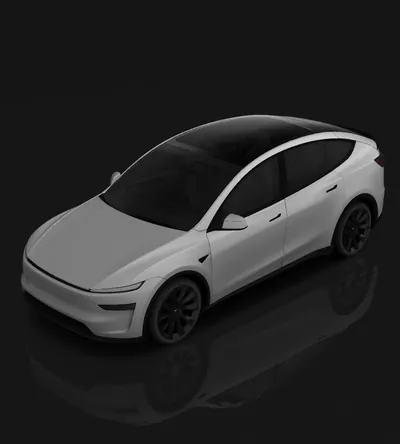
- The refreshed nose, but a longer body behind the front doors, with longer rear doors and a redesigned rear pillar.
- Worth knowing
- Not the Long Range: that is a five-seat battery option. The Model Y L's rear panels are different shapes.
Same file as Tesla's modely-l folder · Wrap ideas for this car
The PNG spec the car accepts
From Tesla's own instructions. A file that breaks any of these is left out of the list or refused by the app.
| Format | PNG |
|---|---|
| Dimensions | 512×512 to 1024×1024 pixels (keep the template's own size) |
| File size | 1 MB or less |
| Filename | Up to 30 characters: letters, numbers, underscores, dashes, spaces |
| How many | Up to 10 from the Tesla app, plus up to 10 from a USB drive |
How to use a Model Y template
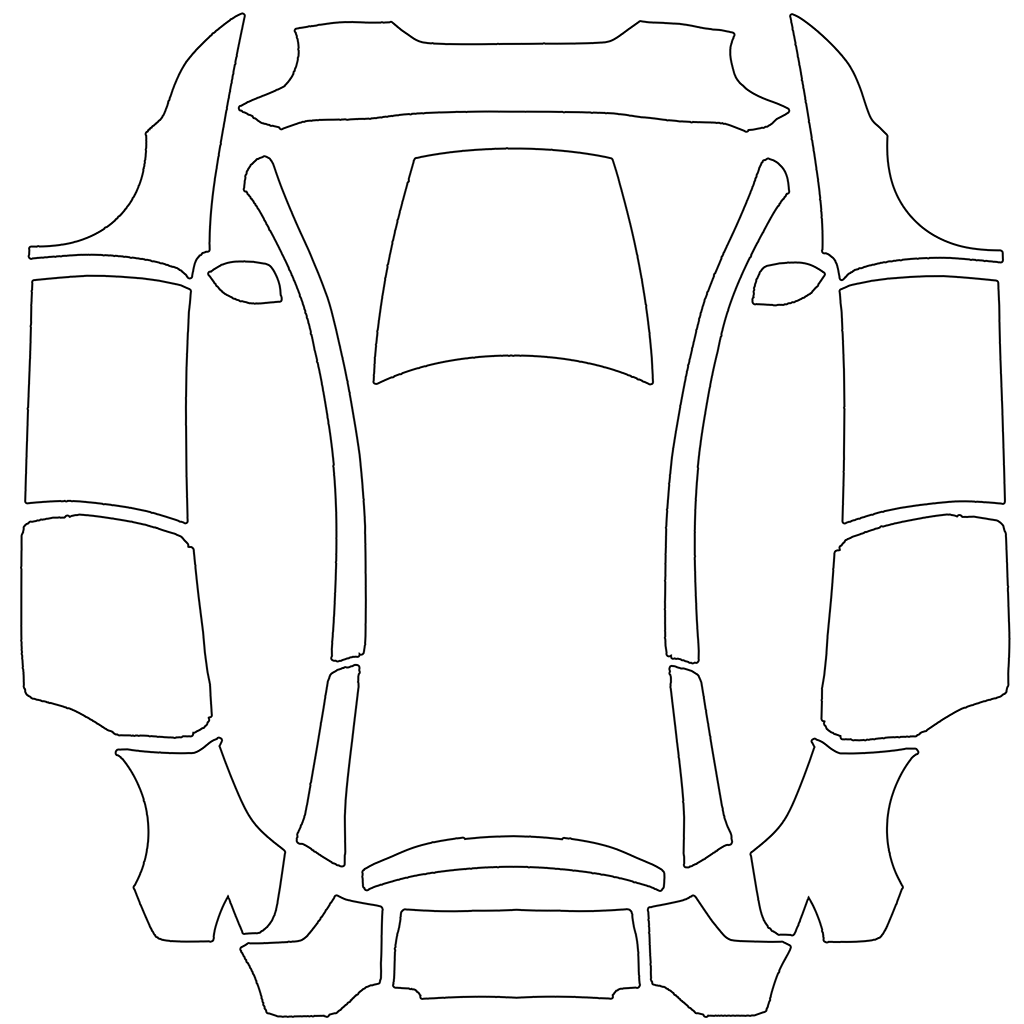
The template is the car's body unfolded flat: each white shape is one panel, such as the hood, the roof, a door or a bumper. Paint inside the shapes; anything outside them never reaches the car. Keep logos and text away from the edges, where one panel meets the next.
Save the result as a PNG at the template's own 1024×1024 size, 1 MB or less, with a short, plain filename. Send it from the Tesla app under Creations, then Wrap (vehicle software 2026.26 and app 4.59.0 or newer), or copy it into a folder named Wraps on a USB drive, and apply it under Toybox, then Paint Shop, then Wraps.
Five templates, one mistake
The Model Y versions look alike from the side, which is why so many designs get made on the wrong sheet. The differences are at the ends (bumpers and lighting) and, on the Model Y L, behind the front doors. Choose by the nose and the length of your car, not by the name on the order.
Picking the nearest-looking template is the most common reason a finished design looks slightly off. The middle of the car looks fine and the ends look wrong, which is easy to mistake for a design problem.
Don't want to paint it yourself?
The free editor places your own photos, logos and text on any of the five templates in the browser, no account needed. The studio paints a design onto the right one from a description in about 30 seconds. Your first wrap is free, after that credit packs start at $2.99 and never expire, and no subscription is needed.
Or download a finished design: the community gallery has Model Y wraps for every version, free, each labelled with the template it was made on.
Frequently asked
- Where do I download the Tesla Model Y wrap template?
- Tesla publishes all five Model Y templates free in its teslamotors/custom-wraps repository on GitHub. The same files download from this page with no account.
- Which Model Y template do I need?
- No light bar and the original bumpers: Model Y. Refreshed 2025+ body without a light bar: Model Y (2025+) Standard. With the light bar: Premium. With the light bar and vented lower bumper and carbon spoiler: Performance. Six seats and a longer body: Model Y L.
- Is the Model Y Juniper template different from the old Model Y?
- Yes. The 2025+ refresh changed both bumpers, so Tesla publishes three new templates for it. A design made on the original Model Y template puts the nose and tail artwork in the wrong place on a Juniper.
- Does the Model Y Long Range have its own template?
- No. Long Range is a battery option on the five-seat car and uses that car's template. The Model Y L is the six-seat body with a template of its own.
Keep exploring
Skip the painting
Describe a finish and it's painted onto the right template for your car in about 30 seconds, already sized for the screen. Your first wrap is free.
WrapStudio AI is an independent app and is not affiliated with, endorsed by, or sponsored by Tesla, Inc. Tesla, Model 3, Model Y, Model S, Model X and Cybertruck are trademarks of Tesla, Inc., used here only to describe vehicle compatibility.